Two modes, one vault
Legacy Vault separates day-to-day management from executor access, ensuring your information is organized for you now and accessible to others when needed.
Your command center
Owner Mode gives you complete control over your vault. Add documents, track assets, manage institutions, and prepare everything your loved ones will need.
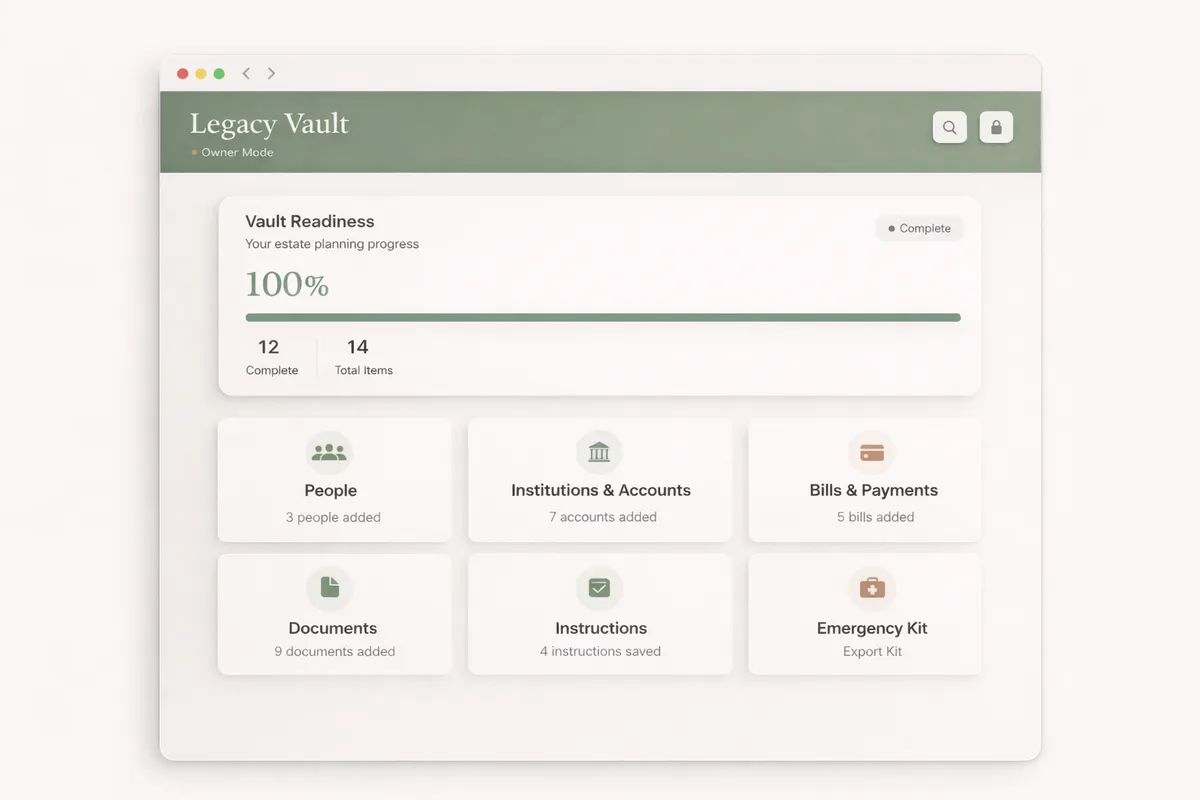
When to use Owner Mode
Initial setup
When you first install Legacy Vault, you'll work in Owner Mode to import documents, add institutions, and organize your estate information.
Regular updates
Use Owner Mode whenever you need to add new documents, update account information, or make changes to your estate plan.
Executor management
Add or remove executor access, change their passphrases, or adjust what information they can see.
Emergency kit creation
Generate and update your emergency kit with current information and recovery instructions.
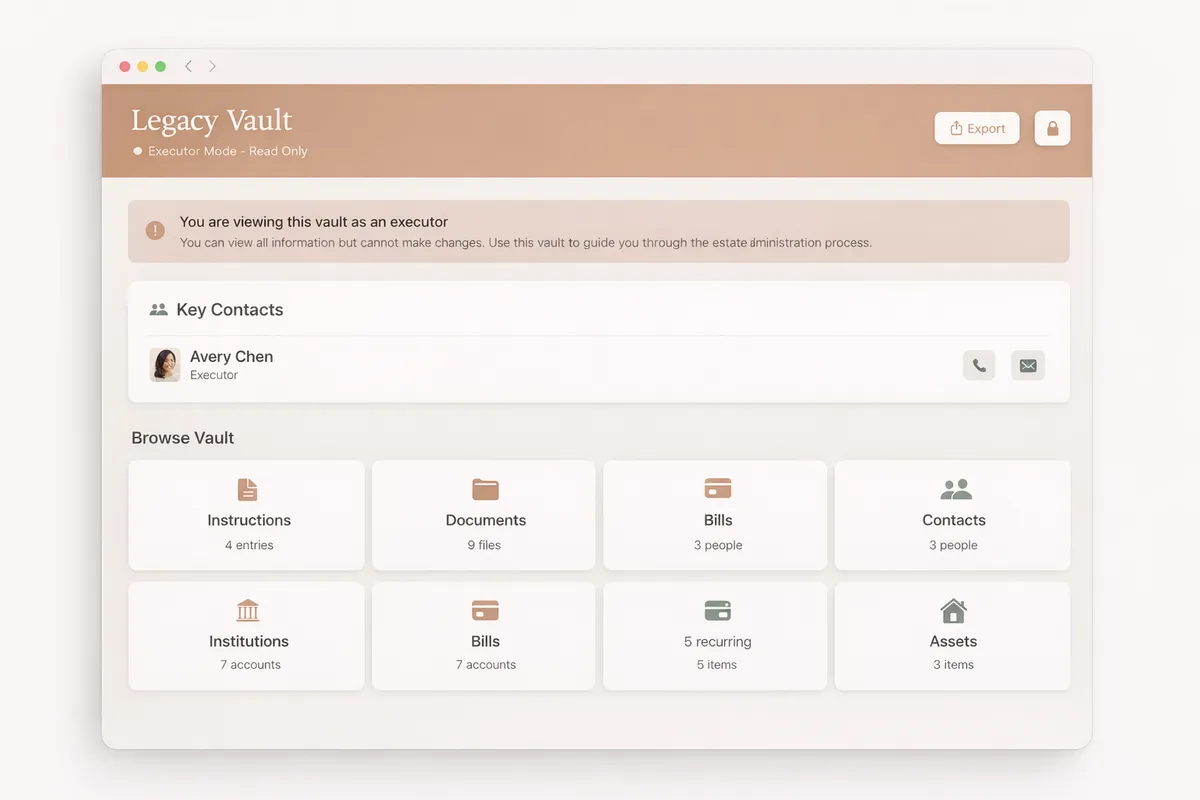
Guidance when it matters
Executor Mode provides read-only access with a guided experience. Executors can find everything they need without the ability to accidentally modify or delete anything.
When to use Executor Mode
Estate settlement
When the time comes, executors use this mode to access all the information they need to settle the estate properly.
Locating documents
Find wills, deeds, insurance policies, and other critical documents organized and ready for use.
Contacting institutions
Access contact information for banks, insurance companies, and other institutions that need to be notified.
Following the checklist
Work through a guided checklist to ensure nothing is missed during the settlement process.
Mode comparison
| Feature | Owner | Executor |
|---|---|---|
| View documents | ✓ | ✓ |
| Export & print | ✓ | ✓ |
| Guided checklist | ✓ | ✓ |
| Add/edit documents | ✓ | — |
| Manage institutions | ✓ | — |
| Create backups | ✓ | — |
| Manage executor access | ✓ | — |
| Delete data | ✓ | — |
Ready to organize your legacy?
Start with a 10-day free trial. Set up your vault and prepare your executors.